How Freight Forwarders Can Track Multimodal Shipments in One Dashboard
Author:
Divya Murugan
Published On:
1 min read
If you handle multimodal shipments regularly, you are already familiar with the complexity of the entire process. One moment you are watching a vessel delay at Colombo, the next moment the connecting flight has been rescheduled, and somewhere in between, a truck driver has not sent you the gate out photo you requested an hour ago.
I still remember the first time I handled a sea-to-air transfer from San Francisco to Frankfurt. My screen looked like a crime board from a detective movie. Vessel tracking on one tab. Airline tracking on another. A driver is constantly updating the location on WhatsApp. An Excel sheet with manually entered milestones. And a client who asked for "one clear update" every two hours.
It became obvious that the problem was not the work itself. The real issue was the fragmentation. Every mode, every carrier, every milestone had its own place, and none of these places spoke to each other. Most forwarders live this reality every day.
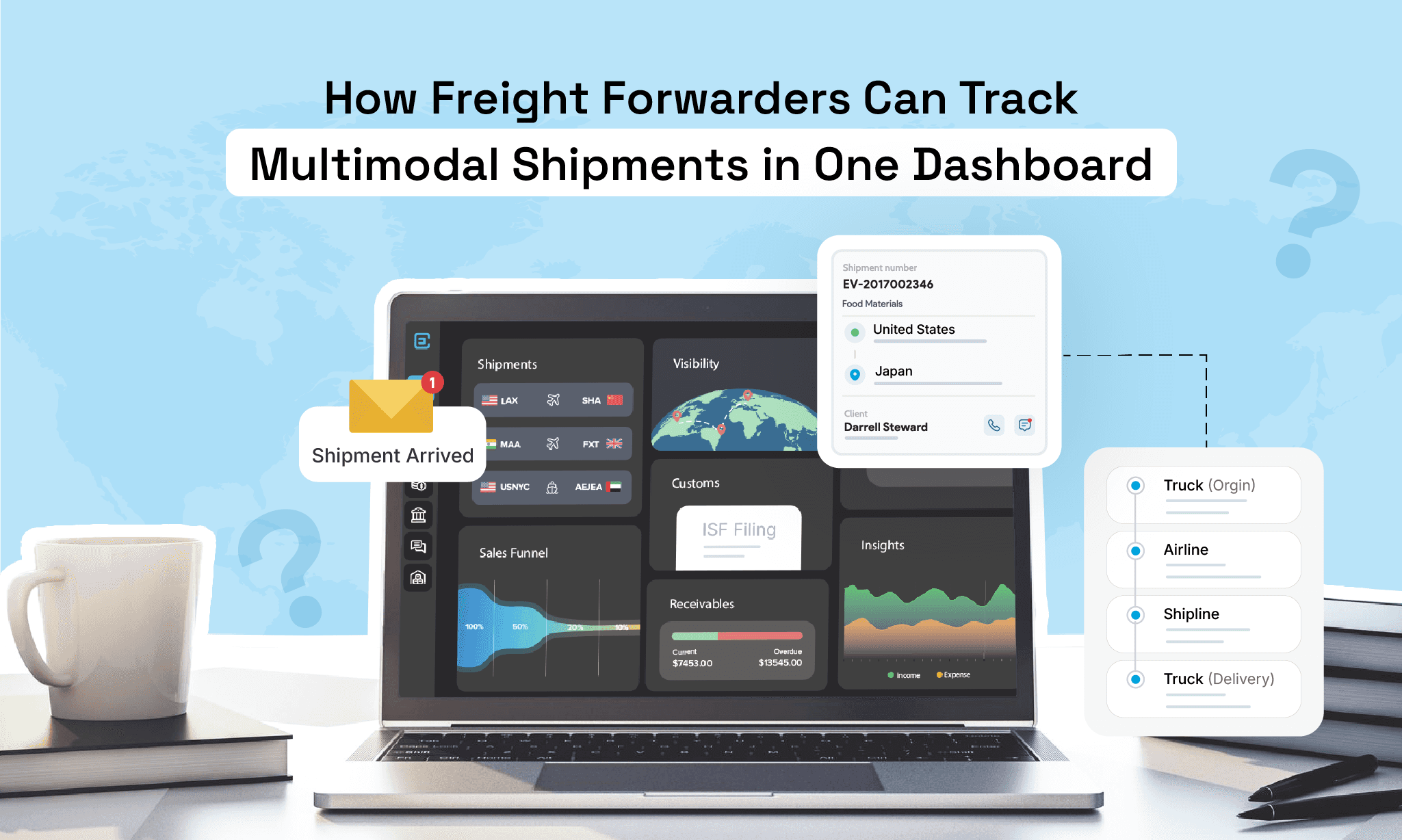
This is where the idea of a unified multimodal tracking dashboard enters the picture. Instead of treating each mode separately, the system brings everything into one timeline and one narrative. The goal is simple. Make multimodal tracking feel less like firefighting and more like structured logistics.
Let us break this down in a way that reflects both the pain and the solution, in a voice that a freight forwarder can relate to.
Why Multimodal Shipments Are Simple but Tracking Them Is Not
Multimodal shipments sound impressive in theory. Sea to rail to road, air to road to warehouse. But behind the scenes, every mode operates in its own ecosystem. Ocean carriers publish schedules in their own format, airlines update AWBs on separate portals, truckers may or may not share GPS locations, rail movements often require manual follow-ups, and customs updates still arrive as emails or PDFs.
When all these updates come together on your desk, they do not form a clear timeline. Instead, they become a scattered collection of disconnected information. Someone from the operations team must move between multiple portals, verify each update, and manually stitch everything into one understandable status. It is mentally draining, time-consuming, and becomes even more stressful when a customer asks for one clear update. The information exists, but it lives everywhere except in one place.
The Operational Consequences of Fragmented Tracking
When tracking happens across scattered systems, the effects are serious.
1. Time gets wasted every single day
A mid-sized freight forwarding team spends anywhere between 60 and 90 minutes on tracking one multimodal shipment. Multiply this by 10 shipments a day, and you lose an entire workday without realizing it.
2. Customer satisfaction drops
A shipper does not care where the delay originated. They only want clarity. When updates come slowly, trust begins to weaken, even if it is not your fault.
3. Errors enter the chain
Missing a transshipment cut-off or misunderstanding an airport ground handling update can snowball into larger delays. The more manual your tracking is, the higher the chance of mistakes.
4. Your team loses energy
Nobody enjoys jumping across portals and apps all day. It drains motivation and prevents people from focusing on higher-value work.
The chaos grows quietly and consistently until it becomes normal. But it does not have to be normal.
The Solution: One Dashboard, All Modes, No Manual Checking
A unified dashboard pulls data from all modes and places it into one timeline. It becomes the single location where your team can see what happened, what is happening, and what will happen next.
This is not about fancy technology. It is about giving operations the clarity they deserve.
Here is how it works in practice.
1. One Shipment Becomes One Story
Instead of tracking a BL separately, an AWB separately, and a truck separately, the unified dashboard creates one master shipment record. Every leg of the movement gets attached to this master ID.
A sea leg, an air leg, two road movements, a customs phase, and even warehousing checkpoints all appear on a single timeline. You can scroll through the entire journey chronologically and understand the full picture without jumping anywhere else.
Mini narrative
A freight supervisor once told me that for the first time in years, he could explain a multimodal shipment to a customer in a single phone call. Previously, he would say things like, "Let me check the vessel first," and "Let me confirm with the driver as well." Now the entire journey sat on one page.
2. Automatic Data Fetching Through Integrations
The backbone of a unified dashboard is its ability to pull data automatically. This happens through API integrations with carriers, airline systems, truck telematics providers, rail networks, terminal data sources, and customs interfaces.
Your team no longer needs to check multiple websites. The dashboard refreshes itself at regular intervals.
Ocean status. Updated.
AWB scan events. Updated.
GPS location. Updated.
Customs clearance events. Updated.
When data comes to you instead of you going to find it, your operational speed increases dramatically.
3. A Single Tracking ID Simplifies Everything
Instead of handling multiple numbers for one job, you create one tracking number that stays constant across the entire shipment. All carrier numbers attach to it in the background. This makes internal communication easy, reduces mistakes, and offers customers a professional, structured experience.
This is particularly useful for sea-to-air transfers and cross-border trucking movements where multiple handlers touch the cargo.
4. Documents Live Next to Milestones
A good multimodal dashboard does not separate tracking from documentation. Everything sits together.
BL
AWB
Invoice and packing list
Gate in and gate out updates
Customs documents
Proof of delivery
This creates context. When you look at a milestone, you can immediately confirm the supporting document. No need to open old emails or message truckers for duplicate copies.
5. Predictive ETAs and Live Map Views
Modern forwarders expect more than static updates. They rely on predictive information. A unified dashboard uses vessel speeds, flight time calculations, and truck GPS behavior to generate accurate ETAs and delay predictions.
Customers see:
Where the cargo is
When it is expected to reach the next checkpoint
What delays might be possible?
Whether a transshipment is at risk
This level of clarity reduces unnecessary calls and panic moments.
6. Customer Visibility Without Manual Work
Most dashboards allow forwarders to share a tracking link with their shippers. This link shows real-time updates, documents, and ETAs. Customers get their answers instantly. Your team avoids repetitive status emails.
The result is a smoother relationship where customers feel informed and forwarders feel less pressured.
The Evolution Forwarders Go Through After Centralizing Tracking
There is a visible shift inside the operations team once tracking stops being a manual activity.
Work becomes structured.
Team members get more time to plan.
Errors decrease.
Customers stop asking for constant updates.
Managers get a clear picture of what is happening across the business.
Forwarders often say the same thing after switching to a unified dashboard. They finally feel like they are working ahead of problems instead of reacting to them.
How to Set It Up In Your Own Organization
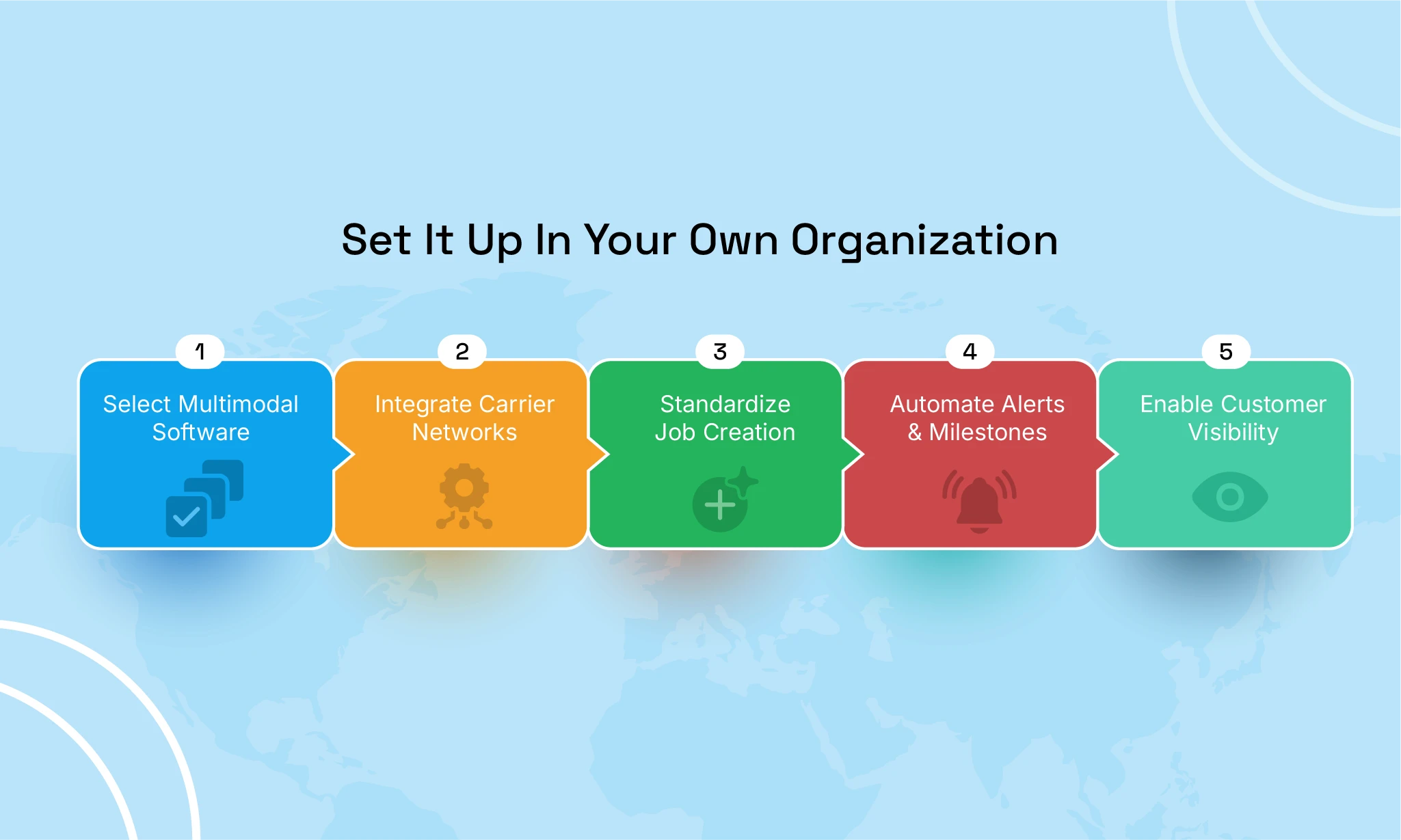
Here is a practical sequence any freight forwarding company can follow.
Step 1
Choose a freight forwarding software that supports multimodal movement and offers strong integration capabilities.
Step 2
Connect your most frequently used carriers.
Ocean lines, airlines, truckers, rail partners, and terminal data sources.
Step 3
Standardize how you create jobs.
Every shipment gets one master tracking ID with multiple legs.
Step 4
Set up auto alerts and consistent milestone structures so every job looks uniform.
Step 5
Enable customer visibility once your internal workflow is stable.
This approach keeps your setup clean and scalable.
Final Thoughts
Freight forwarders do not need more stress. They already manage unpredictable schedules, demanding customer expectations, and complex coordination across continents. A unified multimodal tracking dashboard is not a luxury. It is a practical tool that removes chaos, saves time, and gives operations teams the clarity they deserve.
The logistics world will only become more multimodal in the years ahead. The companies that thrive will be the ones that rely on reliable, consolidated systems rather than scattered tracking methods. The shift is not difficult once you begin, and the long-term benefits are significant.
Frequently Asked Questions (FAQ)
1. What makes multimodal tracking difficult for forwarders?
Each mode uses its own system and update format, so data stays scattered across portals, emails, and manual spreadsheets.
2. How does a unified tracking dashboard help?
It pulls sea, air, and road updates into one timeline and standardizes milestones so the entire shipment becomes easy to follow.
3. Are API integrations essential?
Yes. They automate data fetching from carriers, airlines, and GPS providers, which removes manual checking and reduces errors.
4. Can small forwarders benefit from unified tracking?
Absolutely. Smaller teams save the most time because they no longer need to monitor multiple portals for updates.
5. How accurate are predictive ETAs?
They use vessel AIS, flight schedules, and GPS behavior to recalculate arrival times, which is far more accurate than static updates.
6. Do customers get visibility, too?
Yes. A shared tracking link lets customers see real-time movements, milestones, and documents without contacting your team.
7. How does CargoEZ support multimodal tracking?
CargoEZ centralizes ocean, air, and road updates, integrates with carriers, standardizes milestones, and gives forwarders a single, clear dashboard for all shipments.
Don't forget to share this blog!


